Create and configure assistants
Assistants support you with recurring tasks that require the same context over time. Unlike a standard chat, they have a clearly defined behavior and permanently stored information. This allows them to deliver more consistent results and work more efficiently, especially when dealing with extensive documents used on a regular basis.
Feature overview
Open assistant area
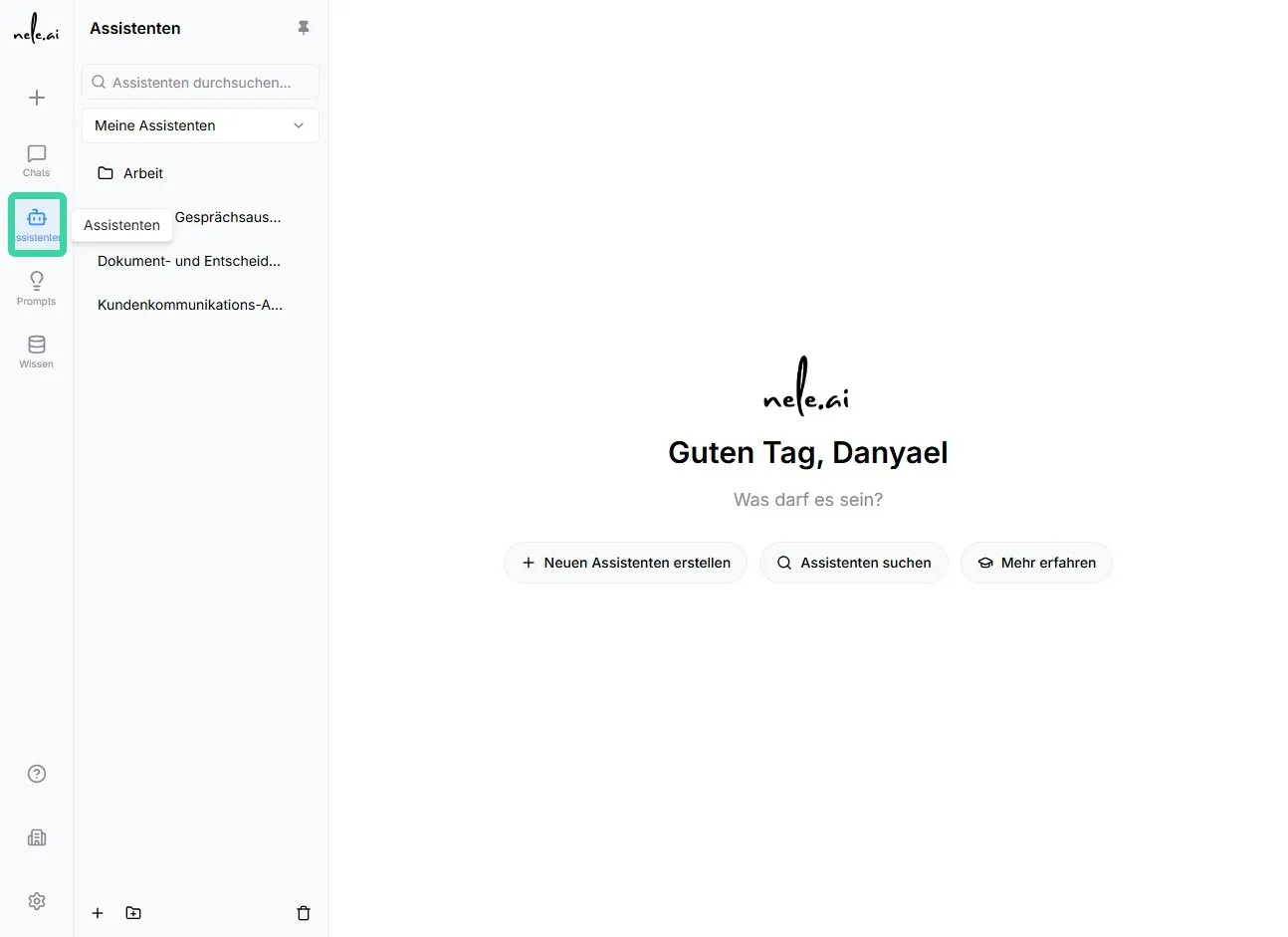
- In the navigation, open theAssistants.
- In the assistant overview, you can see existing assistants and—depending on your permissions—create, edit, or use new ones.
Create new assistant
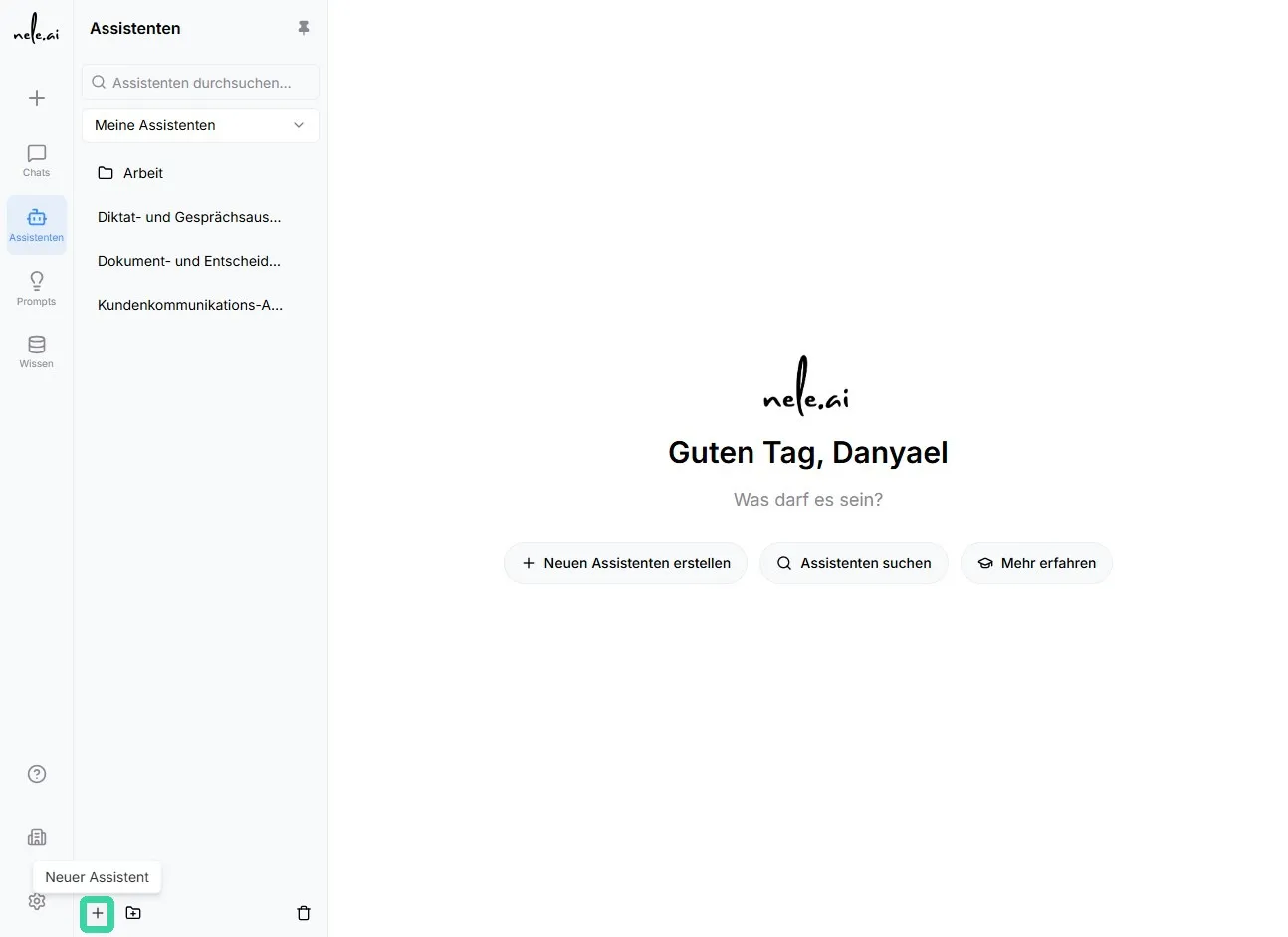
- In the area, clickAssistantson the button with theplus icon.
- Enter a descriptive name. The name should make the assistant's purpose clear at a glance. For example:“Passport Price Inquiry”,“Basic Module Exam”or“Internal Policy Assistant”.
- Add a short description if necessary.
Use categories for assistants
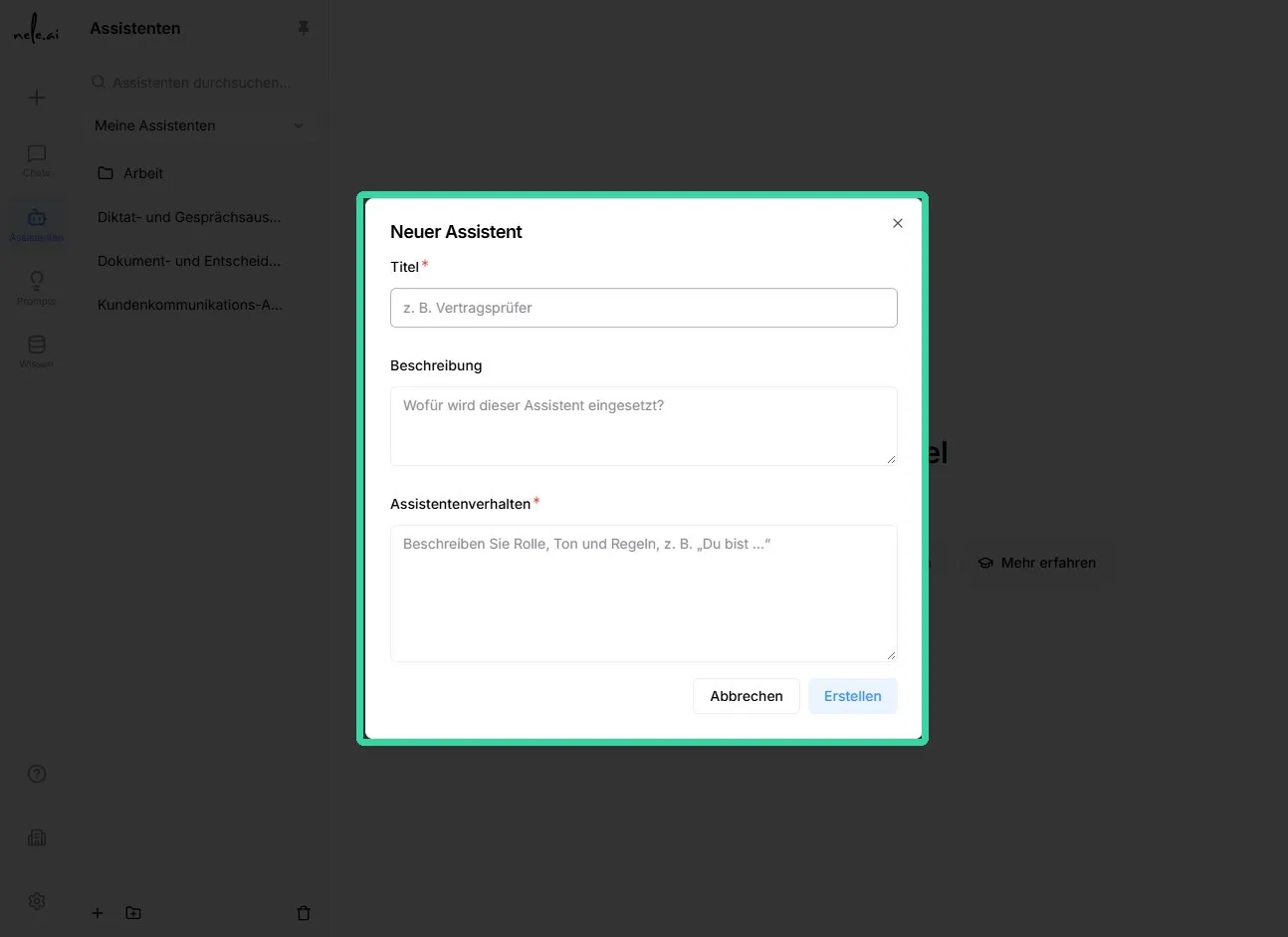
The description explains what the assistant is intended for, what content it covers, and who should use it. It makes it easier for other authorized individuals to select the appropriate assistant.
- Click in the fieldDescription.
- Formulate the description as concretely and target-group-oriented as possible.
For example:
“Answers questions about passport fees based on the provided price list. Suitable for citizen service staff.”
Tip for clear descriptions
Always state the purpose, the information used, and—if relevant—the target audience. This helps avoid confusion with similar assistants.*
Define assistant behavior
Assistant behavior defines how the assistant should respond and which tasks it should handle. These specifications apply to every conversation with this assistant.
Describe, among other things:
Content for assistant behavior
- What task the assistant should perform.
- Which information must be taken into account when providing responses.
- The style in which the responses should be formulated.
- What follow-up questions the assistant should ask if information is missing.
- Which topics the assistant should not answer or process.
- Whether the assistant should follow a fixed procedure.
For example:
"When asked about prices, first ask for age, document type, and number of people. Then state the individual fees and the total amount. Point out if further requirements need to be checked."
Clearly described behavior ensures that answers remain consistent and comprehensible, even for different types of inquiries.
Best practices
Recommendations for daily use
- Create a clearly defined assistant for each recurring task.
- Use clear names and short descriptions.
- Only upload verified, current, and relevant documents.
- Use permanent knowledge for content that must always be fully taken into account.
- Test the assistant with typical questions before releasing it.
- Preferably share assistants via groups.
- Check permissions regularly, especially when roles or team members change.
Assistants are particularly well-suited for standardized tasks with recurring context. For open-ended, one-off, or changing topics, standard chats or knowledge bases are often the more appropriate choice.
Configure new assistant
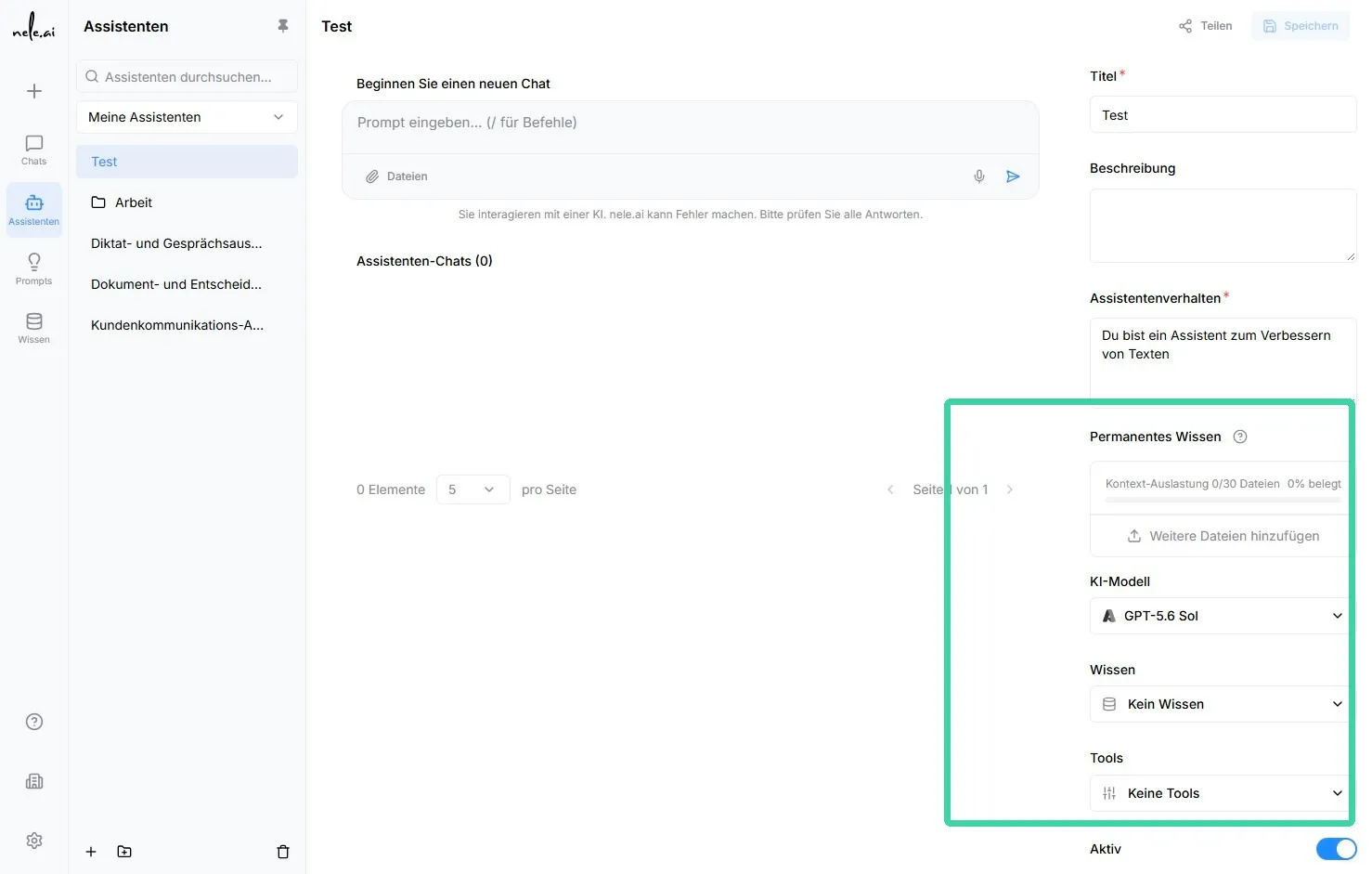
Add permanent knowledge
Permanent knowledge includes files that are available to the assistant as complete context every time it is used. This is particularly suitable for documents where the entire content is important.
Suitable content for permanent knowledge
- Price lists and fee schedules
- Laws, guidelines, and mandatory regulations
- Complete process descriptions
- Sample solutions and grading criteria
- Product information or technical specifications
For example: A complete fee schedule is stored as permanent knowledge so that the assistant can reliably compare and calculate prices.
The assistant processes the stored files upon the first access. For subsequent queries, this knowledge may be temporarily cached. This means that extensive content does not need to be fully reprocessed for every query, making usage more efficient.
Important note on scope*
A maximum of 30 files can be stored for permanent knowledge. Additionally, the available context window of the selected AI model must be taken into account. Therefore, check regularly to ensure that only current and truly necessary documents are stored.*
Note on currency*
The assistant can only work with the knowledge provided to it. Replace or update outdated files as soon as prices, rules, or process guidelines change.*
Using knowledge bases effectively
In addition to permanent knowledge, you can link knowledge bases. A knowledge base is suitable for extensive content where not every piece of information is needed for every query.
Depending on the question, the assistant decides which relevant text passages to retrieve from the knowledge base. As a result, only a portion of the available information is used.
Decision guide for knowledge sources
- Permanent knowledge:Use this option if the entire content of a document could be relevant for every response.
- Knowledge base:Use this option if you have many documents and only need specific text passages from them.
Important distinction*
With a knowledge base, relevant sections are selected from documents. This can result in important context being missed. For binding price lists, complete sets of rules, or closely related guidelines, permanent knowledge is often the better choice.*
Select AI model and tools
Select the AI model you want the assistant to use. The available models and options depend on your organization's configuration.
You can also activate additional tools that the assistant is permitted to use as needed.
Available tools
- Generate image
- Prompt optimization
- Read website
- Web search
Only activate tools that are necessary for the intended purpose. This keeps the assistant uncluttered and ensures it works more precisely.