News - Stay informed about updates
The news section provides a central overview of all important updates, new features, and announcements regarding nele.ai. Here you will find all information relevant to administration – clearly structured and always up to date.The news section provides you with a central overview of all important updates, new features and announcements about nele.ai. Here you can find all information that is relevant for administrators — clearly structured and always up to date.
Accessing the newsAccess to news
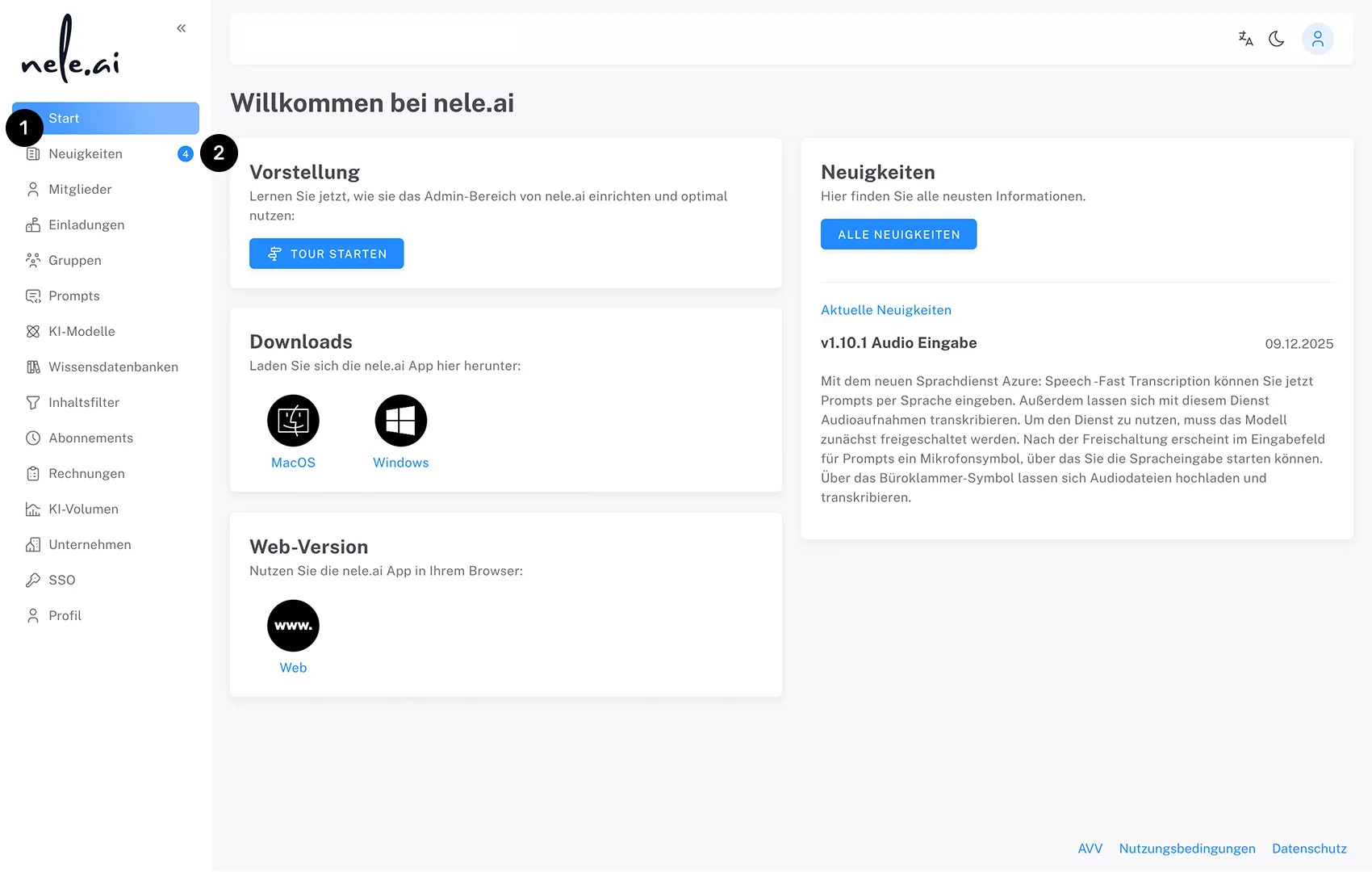
You can access the news section via the sidebar navigation. Click on the "News" menu item (1).You can access the news section by navigating in the sidebar. Click on the “News” menu item
Unread news items are marked in the sidebar with a badge (2), so you can see at a glance when new content is available.Unread news is marked in the sidebar flagged so you can see at a glance when new content is available
News detail viewDetailed view of news
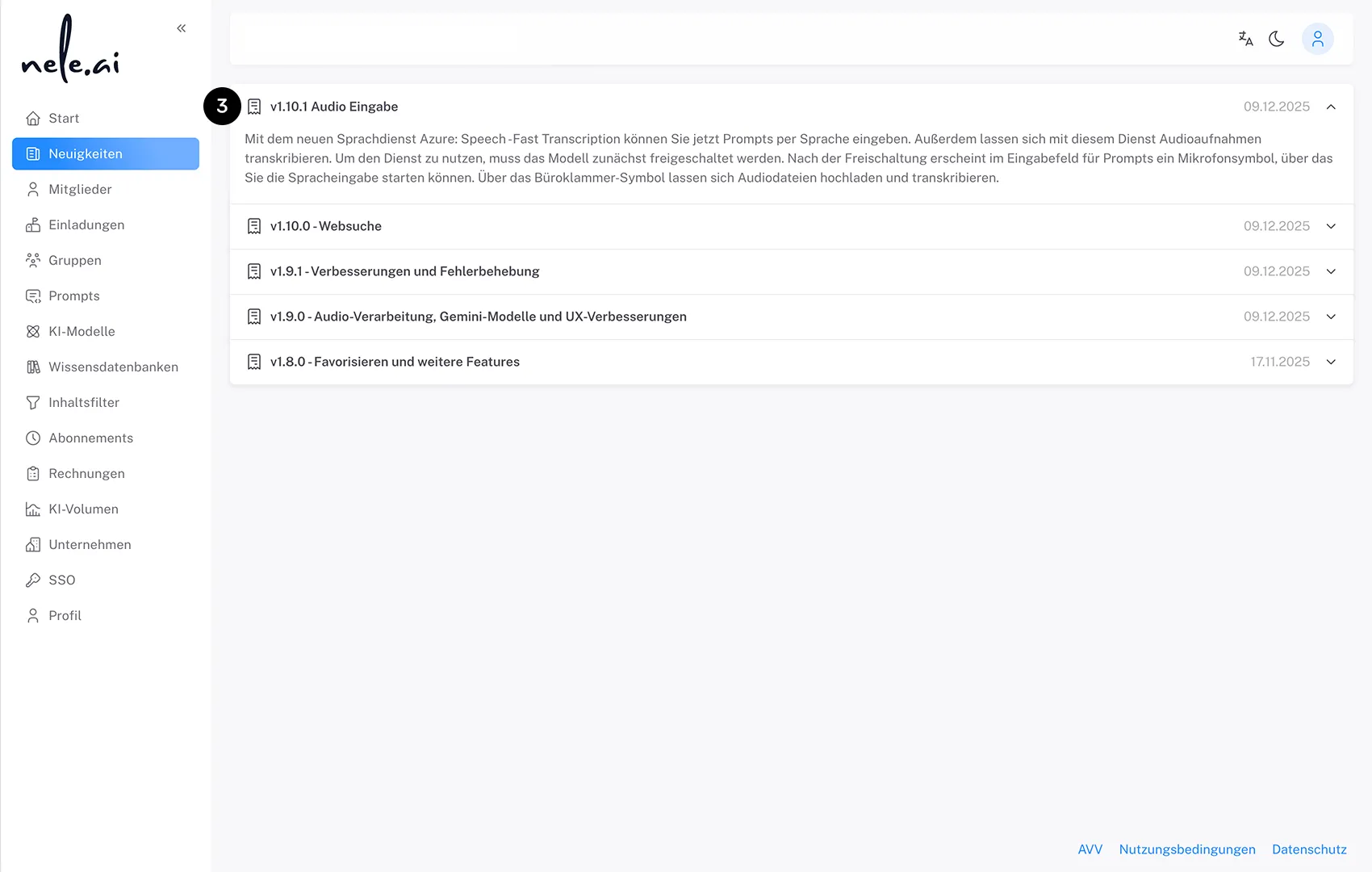
On the news detail page, all messages are displayed in a clear accordion format (3). All articles are sorted in reverse chronological order (newest first).On the news detail page, all messages are presented in a clear accordion format . All articles are sorted chronologically in descending order (newest first).
Read statusRead status
As soon as you open the news page, all messages are automatically marked as read. The notification in the sidebar will disappear accordingly, helping you keep track of the content you have already viewed.As soon as you open the news page, all messages are automatically marked as read. The notification in the sidebar disappears accordingly and you keep track of content that you have already read.
The news section is available to all members with admin permissions – no separate permission is required.The news section is available to all users with admin permission — no separate authorization is required.