View past invoices
Invoice OverviewInvoice overview
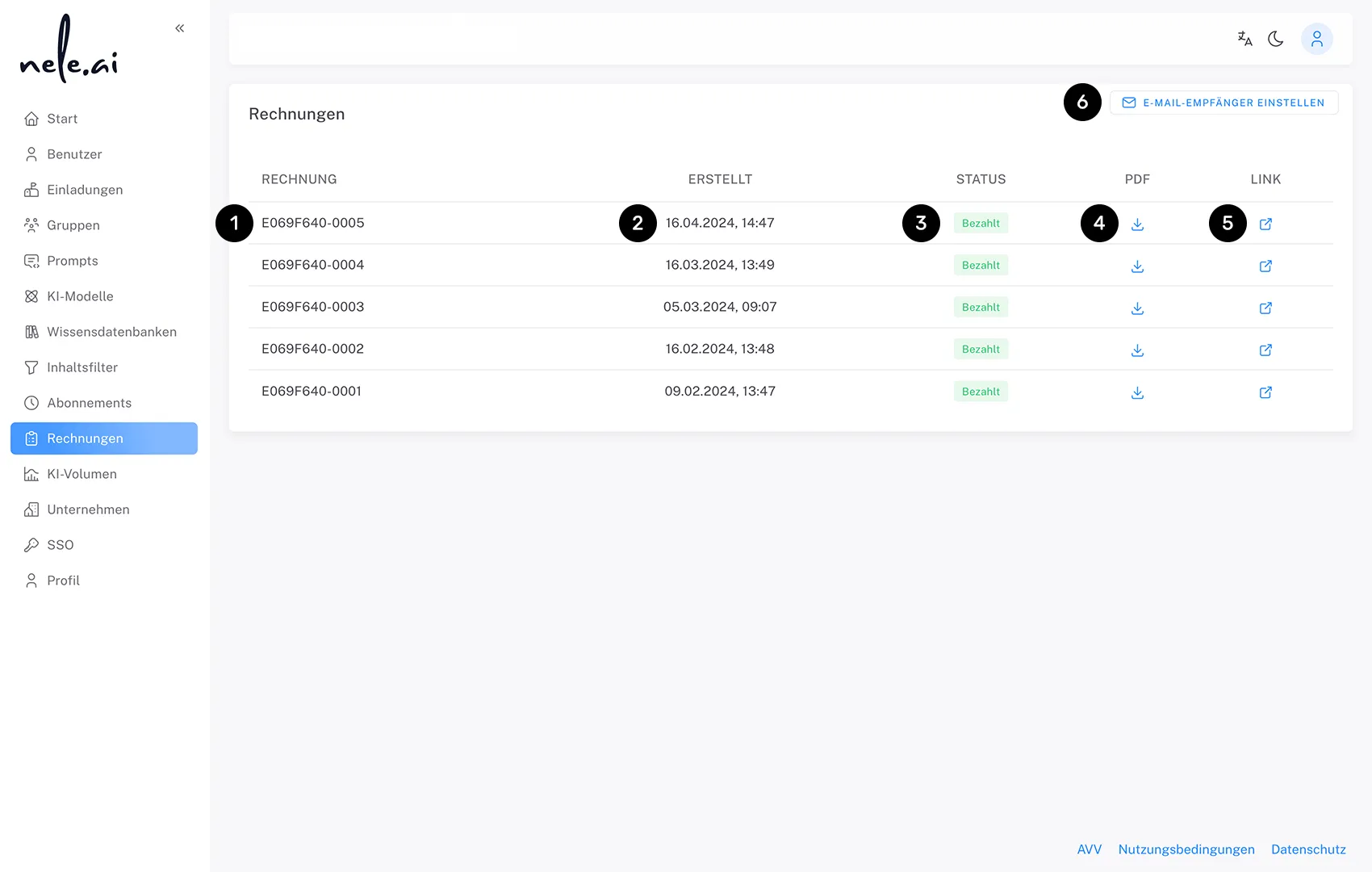
This section displays your previous invoices (1), their date (2), and status (3).This area shows you your previous invoices , whose date and status
You can download invoices directly as a PDF (4) or view further details via an external link (5).You can download the invoices directly as a PDF or view more information about this via an external link
Additionally, you can manage recipients for invoice emails via the "Set Email Recipients" button (6).In addition, you can use the “Set email recipients” button to to manage recipients for billing emails.
Configure email recipients for invoicesConfigure email recipients for invoices
Using the Set Email RecipientsSet up email recipients function, you can determine who should receive the various email notifications. You have the option to define separate recipients for invoices, payment reminders, cancellations, and subscription renewals. By default, all notifications are sent to the administrator's email address.About the feature You can specify who should receive the various notifications by email. You can define separate recipients for invoices, invoice reminders, cancellations and subscription renewals. By default, all notifications are sent to the administrator's email address.
To add additional recipients:To add additional recipients:
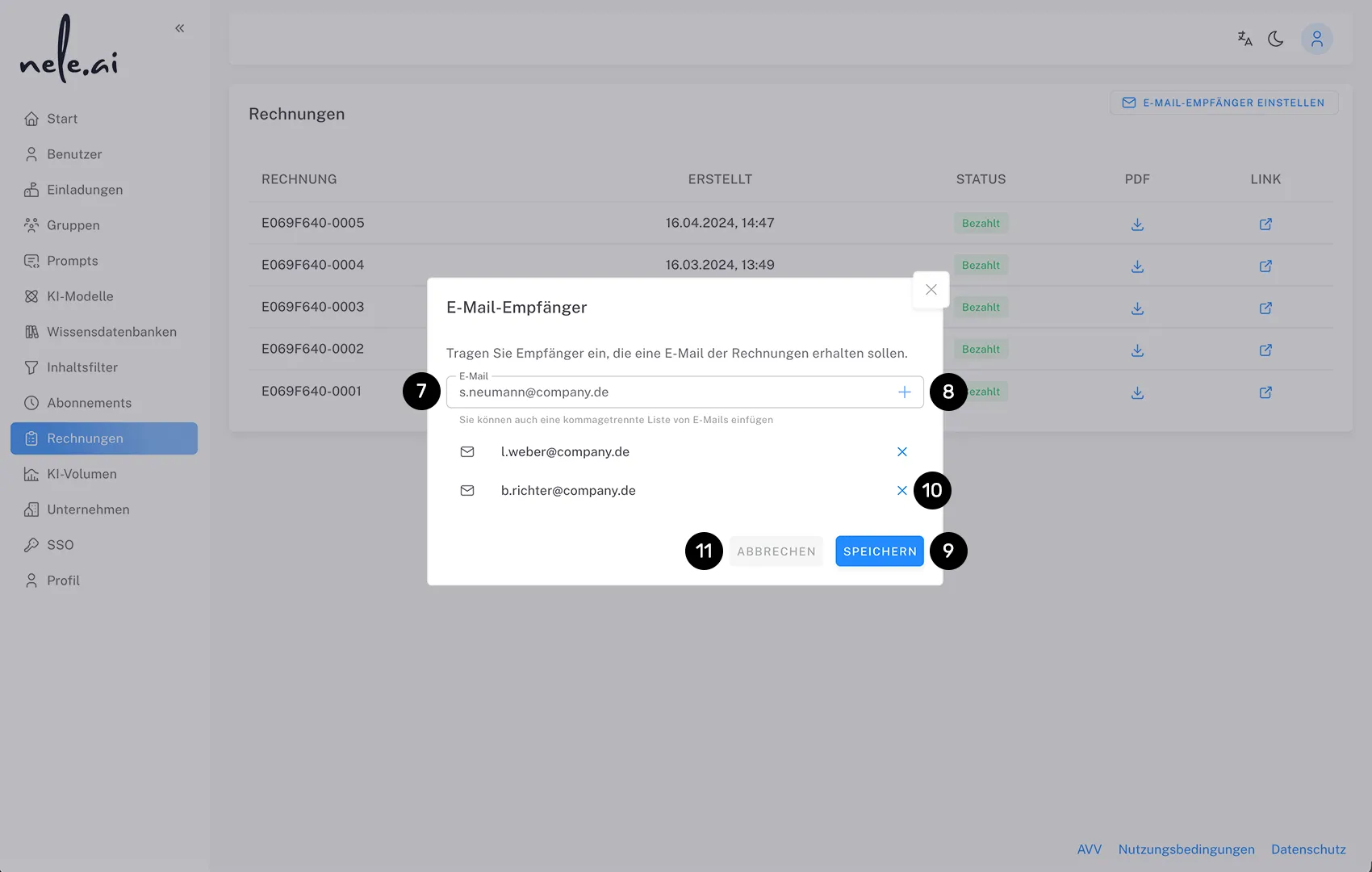
- Click the "Set Email Recipients" button (6)
- In the "Email Recipients" dialog, you can set separate email addresses for each notification type (invoices, payment reminders, cancellations, subscription renewals)
- Enter the desired email address. You can also enter a comma-separated list of email addresses. (7)
- Click the plus icon (+) to add more email addresses (8)
- Confirm your entries by clicking "Save" (9)
Important note:Important note: As soon as you manually add email addresses for a specific notification type, the administrator's address will no longer be used automatically for that type. If the administrator still wishes to receive these notifications, their email address must also be added manually. As soon as you manually store email addresses for a specific notification type, the administrator's address is no longer automatically used for that type. If the administrator wants to continue receiving notifications, their email address must also be added manually.Important note: As soon as you manually enter email addresses, the administrator's address is no longer automatically used. If the administrator wants to continue receiving invoices, their email address must also be added manually.
Previously saved email addresses can be removed at any time using the X icon next to the respective address (10). You can close the dialog without saving your changes by clicking "Cancel" (11).Email addresses that have already been stored can be removed at any time using the X symbol next to the respective address . With “Cancel”, you can close the dialog without saving the changes